Product onboarding software
that’s easy to edit and customize
HelpHero enables you to create the best possible help experience for users with as much custom control over the experience as you need. Our page on interactive walkthrough software covers building a guided walkthrough from these pieces. To see which of these features other tools include, and where they differ, read our product tour tool comparisons.
- Create tours without codeEasily create, preview and edit product tours without any coding or design experience required. You can also embed videos, images and third-party content such as survey forms from your own survey tool.
- Customize your toursInstantly customize every aspect of your tours with complete freedom to change the text, colors and layout to suit your app.

HelpHero offers the best designed walkthrough creation experience
Guide the first week with a checklist
Checklists let you show a list of tasks for new users to work through, so an unfamiliar product turns into a handful of things to do. Our page on user onboarding checklists covers how to build one and when an item should tick off.
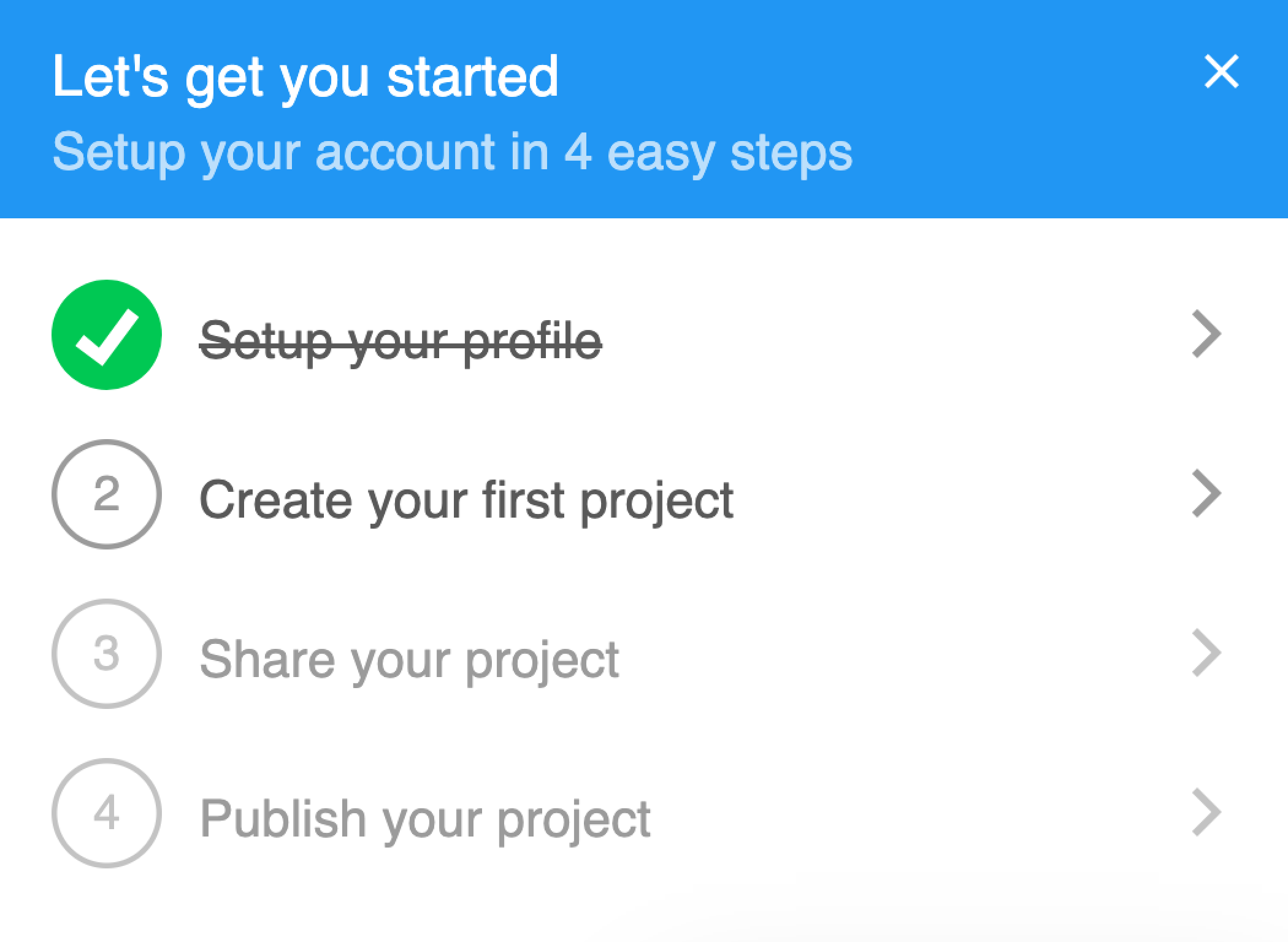
- Encourage progressEffortlessly guide users through the onboarding process with checklists that let them check progress while ensuring each critical step is completed.
- Drive conversionTailor every aspect of your checklists, such as requiring tasks to be completed in order, setting completion conditions and more.
Great way to increase conversion rates and push your customers through onboarding
Hotspots
HelpHero’s hotspots are a great way to add on-demand contextual hints. Hotspots can be used for tooltips, feature announcements or prompts. Our page on onboarding tooltips covers when to open one on hover and when on click.
- Orders +21%Product tooltipsContextual hints and help for your app.
- Encourage user behaviorNudge users to perform certain actions.
- YearlyMonthlyFeature announcementsSubtly draw attention to new features.
Measure and optimize performance
HelpHero’s analytics helps you understand how viewers are interacting with your tours, so you can identify opportunities for improving user experience.
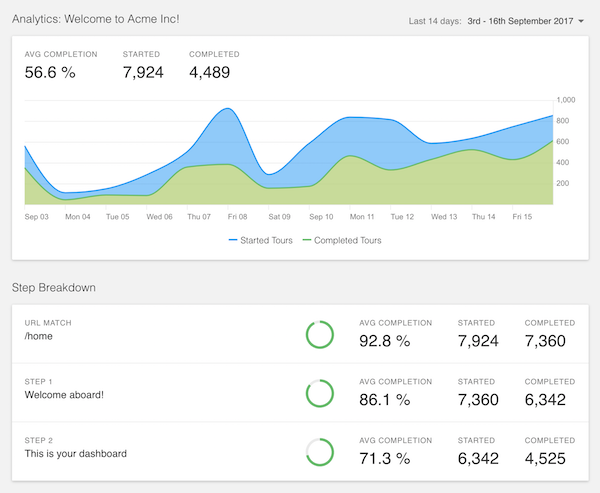
- Optimize your toursEnsure you get the best possible tour success rate by instantly tweaking your tours and measuring the results in real-time.
- Drill down analysisTrack completion rates for each step in your tours so you can pinpoint exactly where users are dropping off and what to improve.
Advanced personalization and targeting
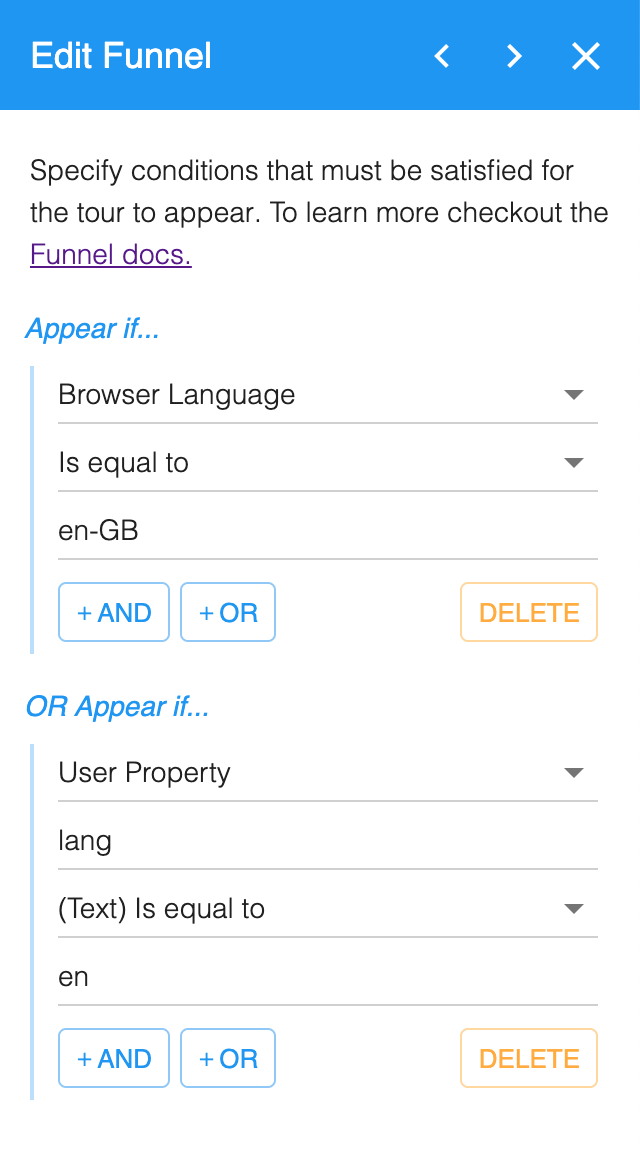
HelpHero funnels let you configure your tours to target specific users. This ensures users are shown the most appropriate tours based on their language, device, browser and even custom user properties.
- Target your usersSetup specific criteria based on your unique requirements or user data to segment and create personalized help experience for users.
- Target your messagingEnsure the most relevant content is shown to users by creating different pathways through a tour depending on current user properties.
Using HelpHero has streamlined the way in which we support customers at all different engagement stages from brand new user to seasoned veteran
A user onboarding platform built for scale and compatibility
HelpHero is built to ensure maximum performance and browser compatibility. Works with all the tools and frameworks you already use and love.
- Quick and easy installYou can get up and running in minutes. It works in a similar fashion to other website add-ons like Google Analytics, Intercom etc.
- Browser supportWe support a wide range of desktop, tablet and mobile browsers and versions including Chrome, Firefox, Safari and Edge.
- CompatibilityCompatible with HTML based apps. Whether your app is mainly client-side (React, Vue, etc) or server-side (PHP, ASP.NET, etc) we’ve got you covered.