
Styling hotspots
Hotspot can be easily customized using the standard available styling options, including icon size, custom image, icon placement, etc:
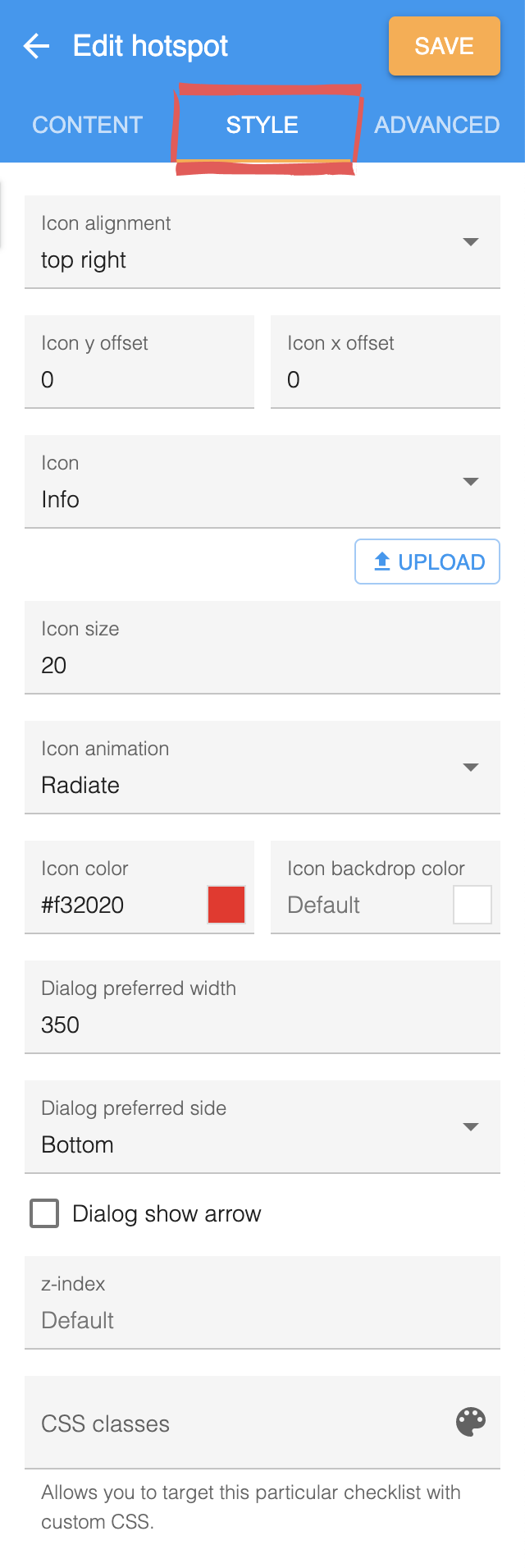
For more advanced customization you can also use custom CSS to style your hotspots.
Tooltip styling
Section titled “Tooltip styling”Tooltips are commonly styled with a black semi-transparent background. For example:
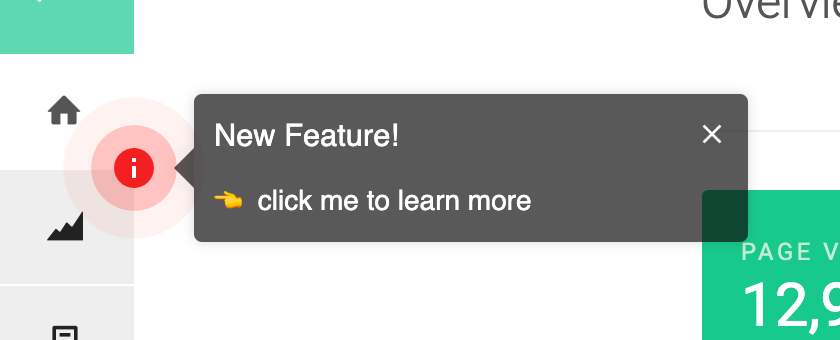
There is the custom CSS used to achieve this particular styling with HelpHero hotspots.
.hlp-hotspot-dialog {  background: none !important;  border: none !important;}
.hlp-hotspot-dialog .hlp-dialog-body, .hlp-hotspot-dialog .hlp-dialog-header {  background: rgba(0,0,0,0.65) !important;  color: #fff !important;}
.hlp-hotspot-dialog .hlp-dialog-header svg {   fill: #fff !important;}
.hlp-hotspot-arrow polygon {  fill: rgba(0,0,0,0.65) !important;}