Why short user onboarding checklists
work better than long ones
- Three to five steps, not twelveA user glances at the list and decides right then whether to start. Twelve items reads as a project, so they close it and get on with what they came for.
- Each step ends in something realMake the step uploading a first file, not watching a tour about uploading it. A finished list then means your product has actually done something for them.
- Progress stays visibleA user coming back tomorrow can see where they left off, which is more than a welcome tour gives them once it's been dismissed.
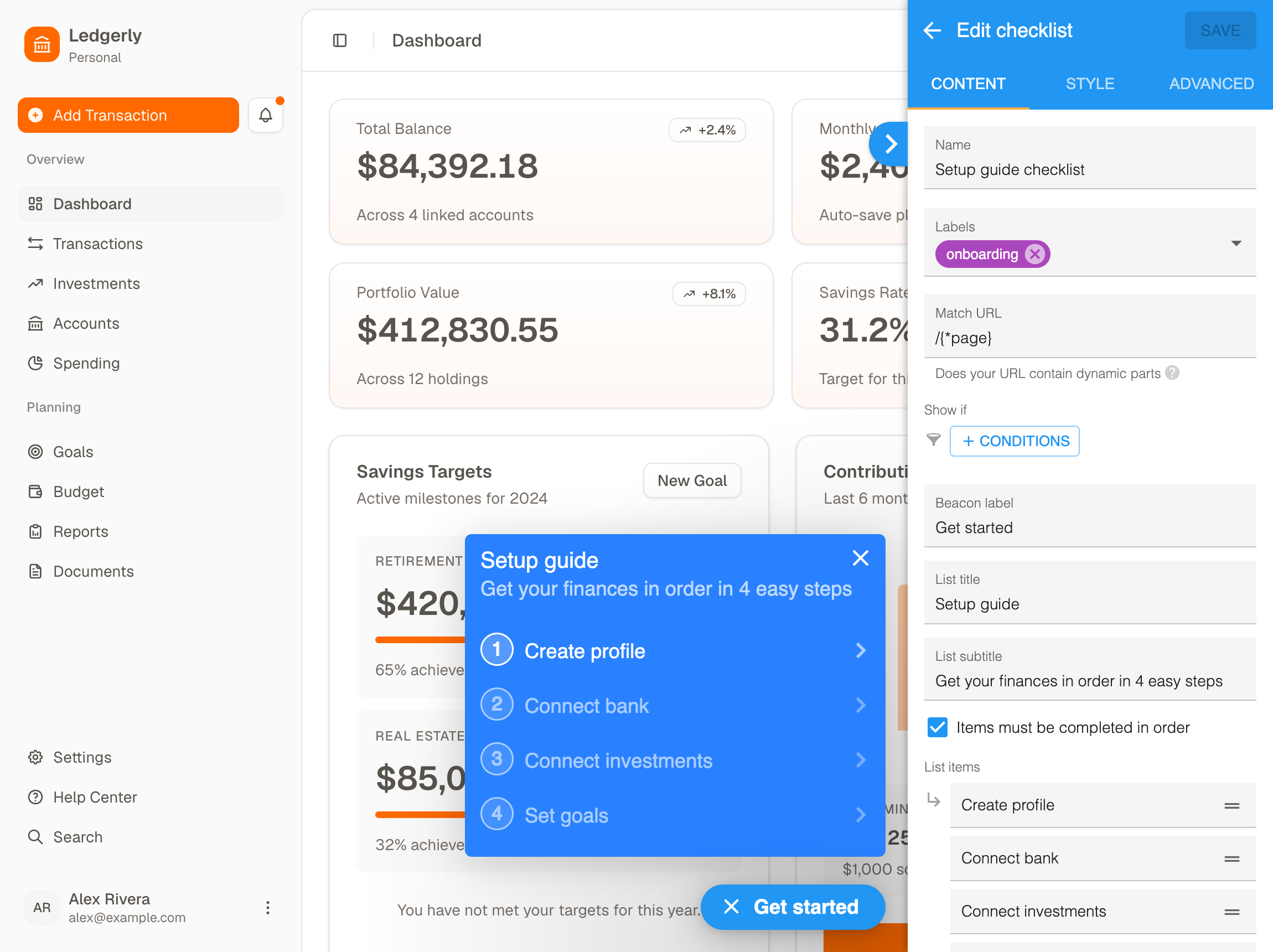
An item ticks when they've done it,
not when they've watched a tour
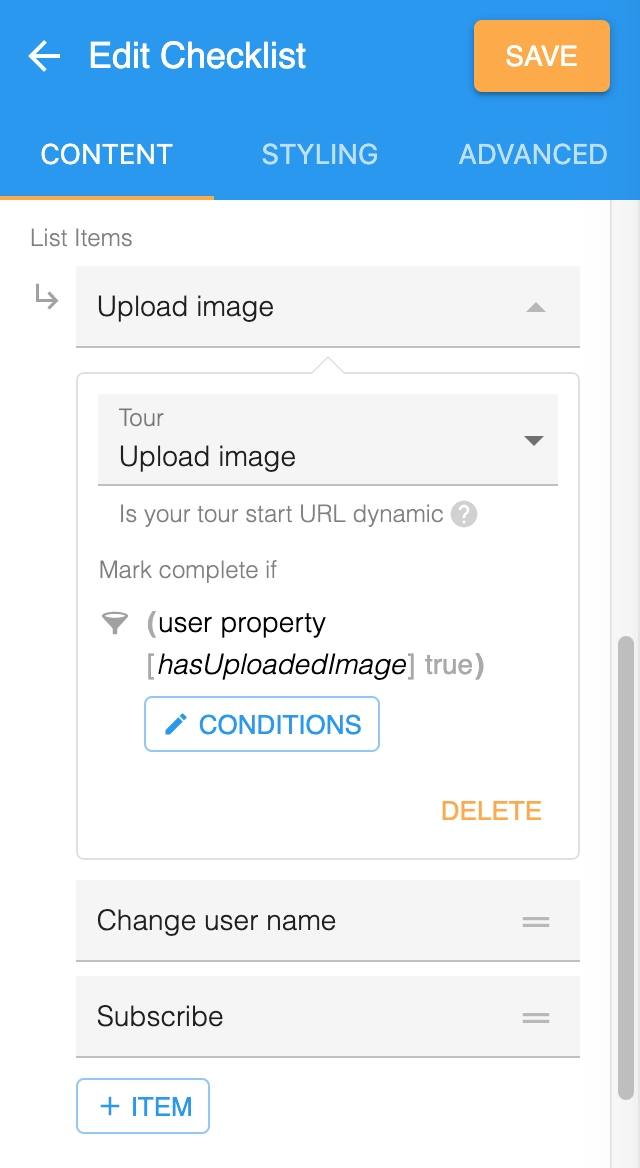
- Mark complete on your own dataSet an item to finish when a user property you send comes back true. The tick then follows what your product recorded, not what the tour thinks happened.
- The tour is the help, not the goalOur own docs tell you to complete on the workflow rather than the tour, because users can sit through a tour and still not do the thing afterwards.
- It keeps the numbers honestA checklist that ticks when a tour ends will always look healthier than your activation rate, and that gap is where a lot of onboarding reporting goes wrong.
Where it shows, and who gets to see it
- Conditions decide who sees itShow a checklist only to accounts that haven't finished setup, or only to admins, so it stops showing up once a user has moved past it.
- It can reach across pagesTurn on tour redirect and the checklist will send a user to the right page before starting the tour that lives there. The list isn't stuck on one screen.
- Styled to match your productThe standard appearance options cover most of it, and there's custom CSS for when your design system has opinions.
Common questions about user onboarding checklists
What is a user onboarding checklist?
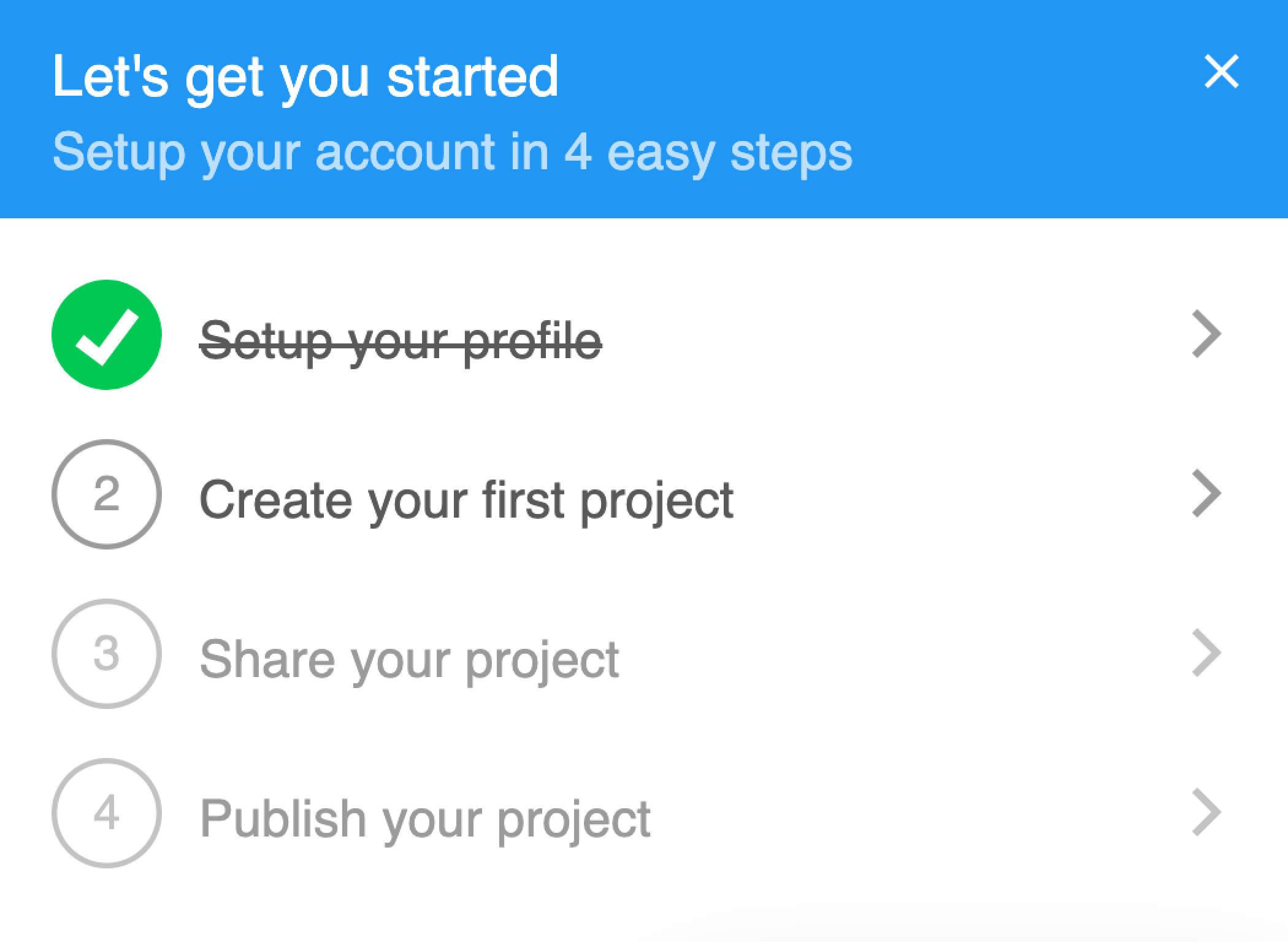
A user onboarding checklist is a short list of the steps a new user takes to get their first real result from a product, shown inside the app and ticked off as they go. It's aimed at the users of your software, which is what separates it from the employee checklists that share the word onboarding.
How many steps should a user onboarding checklist have?
Three to five items works best. Users decide whether to start by glancing at the length, and past about five it reads as a project rather than a shortcut. Pick the steps that lead to a first real result and leave everything else for later, because a checklist nobody finishes is worse than no checklist at all.
When should a checklist item be marked complete?
When the user has done the thing, not when they've finished the tour about it. In HelpHero you set an item to complete on a user property you send, so an item like uploading a first image ticks off the moment your product records that upload. Our own docs recommend it this way around, because a user can sit through a tour and still not do what it described.
Can you show different checklists to different users?
Yes, and that's usually worth doing. Checklists can be set to show on all pages, on specific pages, or only for users who match conditions such as a role or plan property. That way an admin and a brand new user don't get handed the same list, and a checklist stops appearing once the account has moved past it.
Where does the checklist appear in the app?
It appears behind a beacon, the small icon shown on pages where a checklist is eligible. You can hide that beacon and control when the checklist opens through the JavaScript API, and if you use the Intercom integration you can show your checklists inside the Intercom Messenger Home instead.
How much does checklist software cost?
HelpHero starts at $55 a month for 1,000 monthly active users, and checklists are included on every plan along with every other feature, with unlimited seats. Most of the category charges more to get started, and several vendors don't publish their paid tiers at all, quoting them on request after a call.
A checklist is the cheapest onboarding change to try, because you can build one from tours you already have and see within a week whether users finish it. Every feature is on every plan here and seats are unlimited, so pricing starts at $55 a month whatever you end up building. Each competitor we're asked about also has a side-by-side comparison.