Product tour software
that turns a first session into a first win
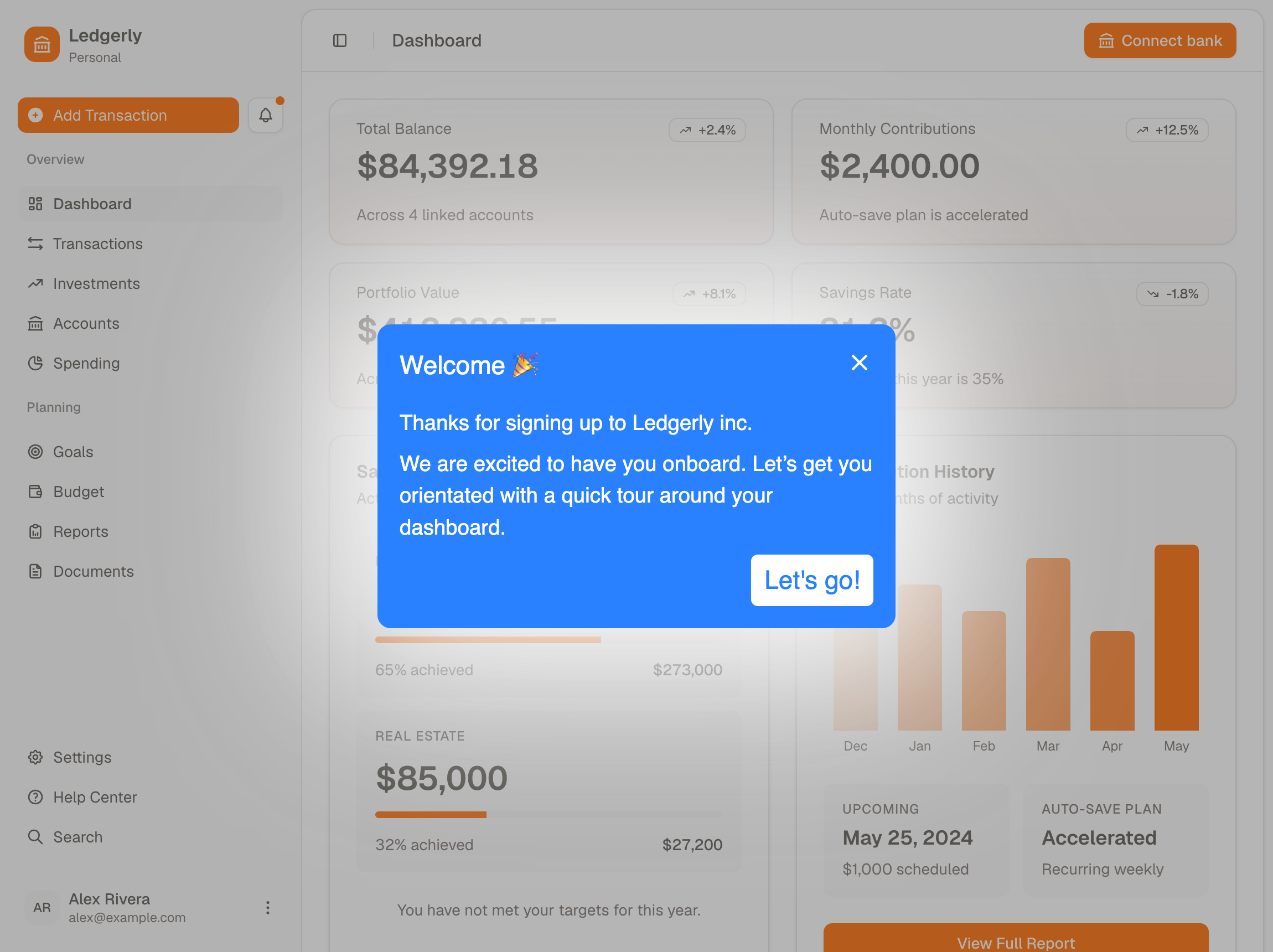
- Onboarding toursGuided walkthroughs that run after signup, inside the product, aimed at the first thing a new user has to get done.
- Feature adoption toursTours for existing users: a feature you just shipped, or a corner of the product they have never opened.
What you can build
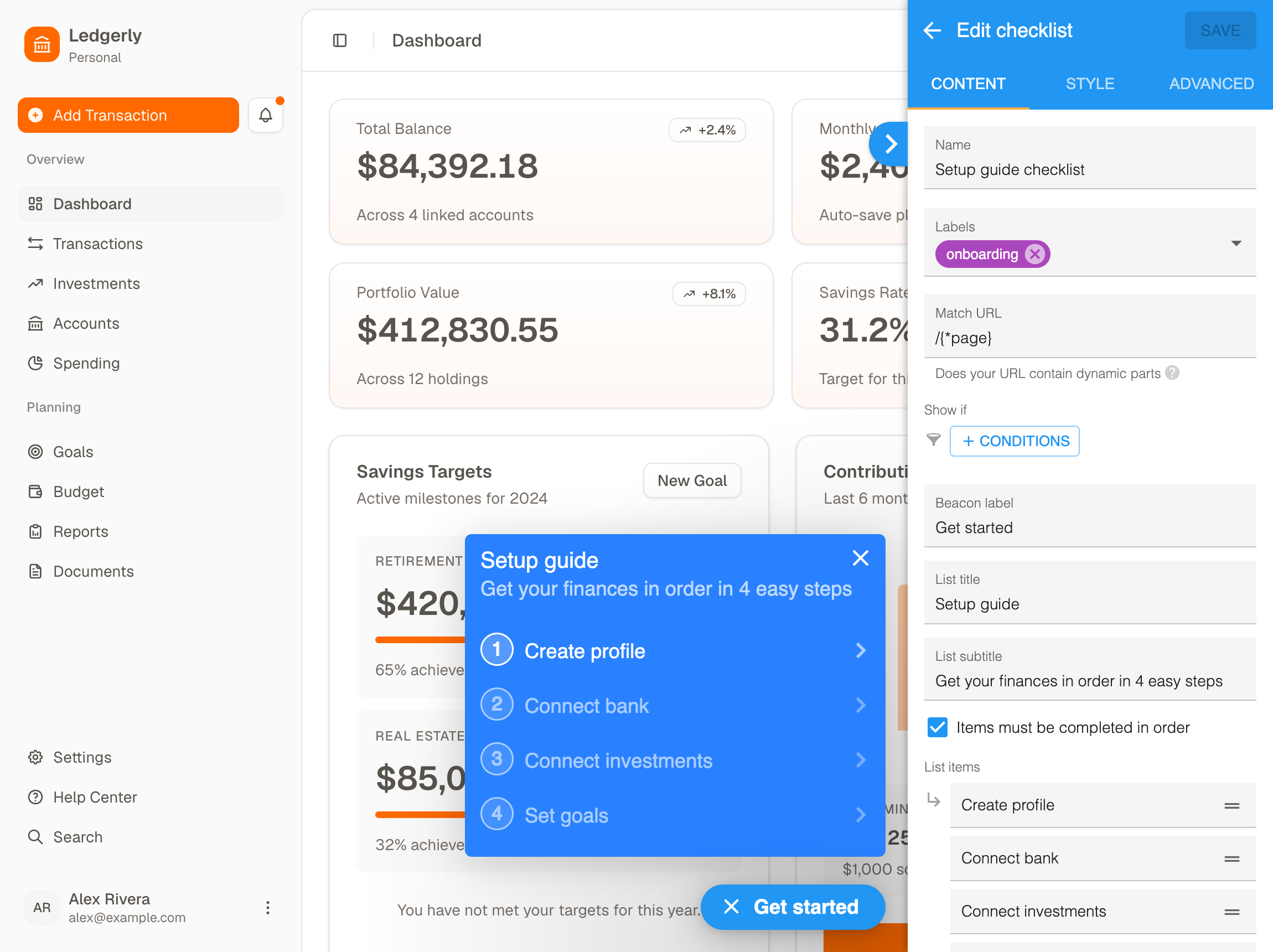
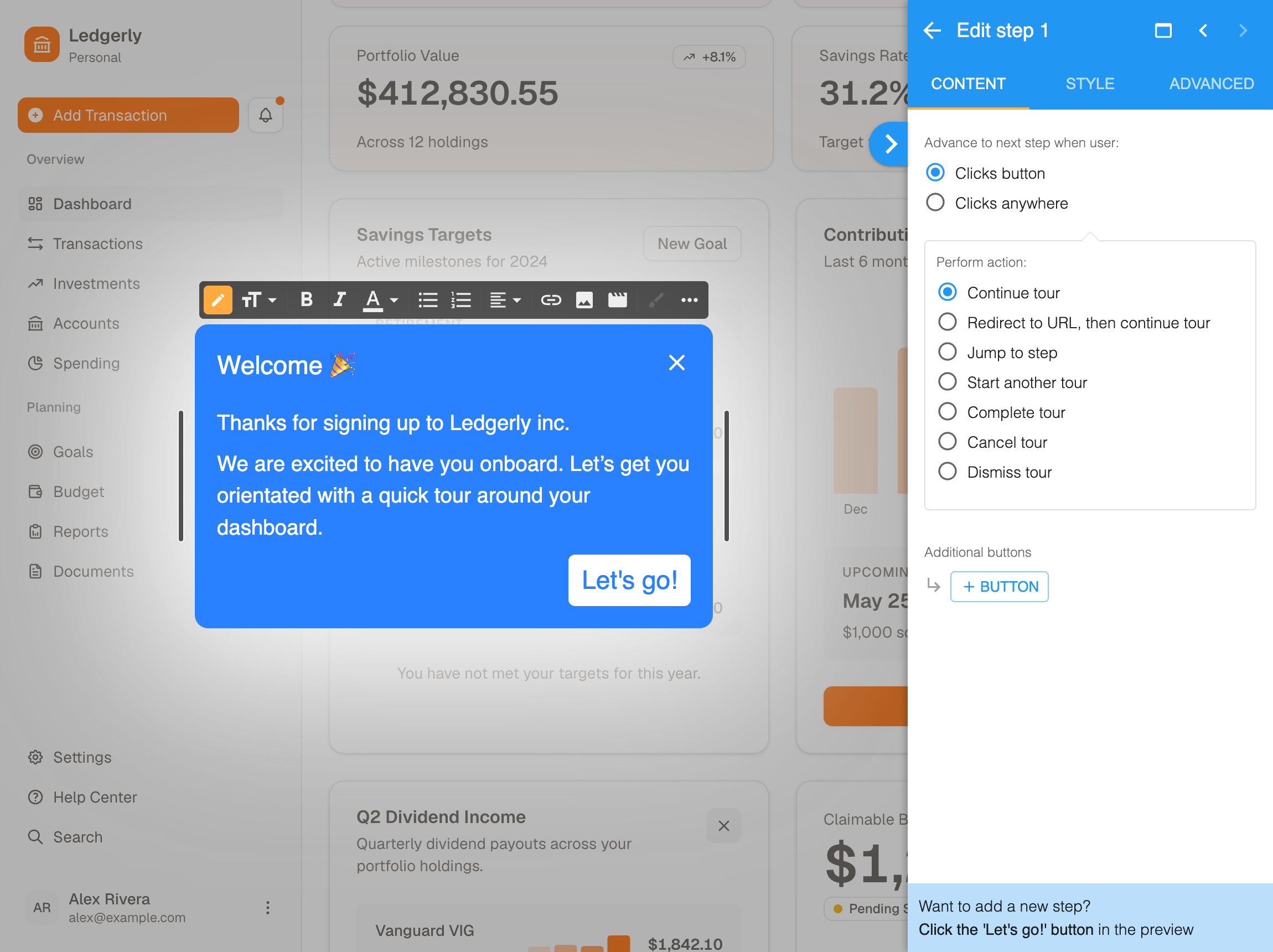
- ToursWalk a user through one task the first time it matters, with each step attached to the thing it describes.
- ChecklistsShow the handful of steps that end in a first win, and track progress so an unfamiliar product becomes a short list. The fewer you can get away with, the better.
- HotspotsBeacons that reveal a short explanation on click or hover. Most of the category calls these tooltips, and they double as feature announcements.
Guidance anchored to the interface
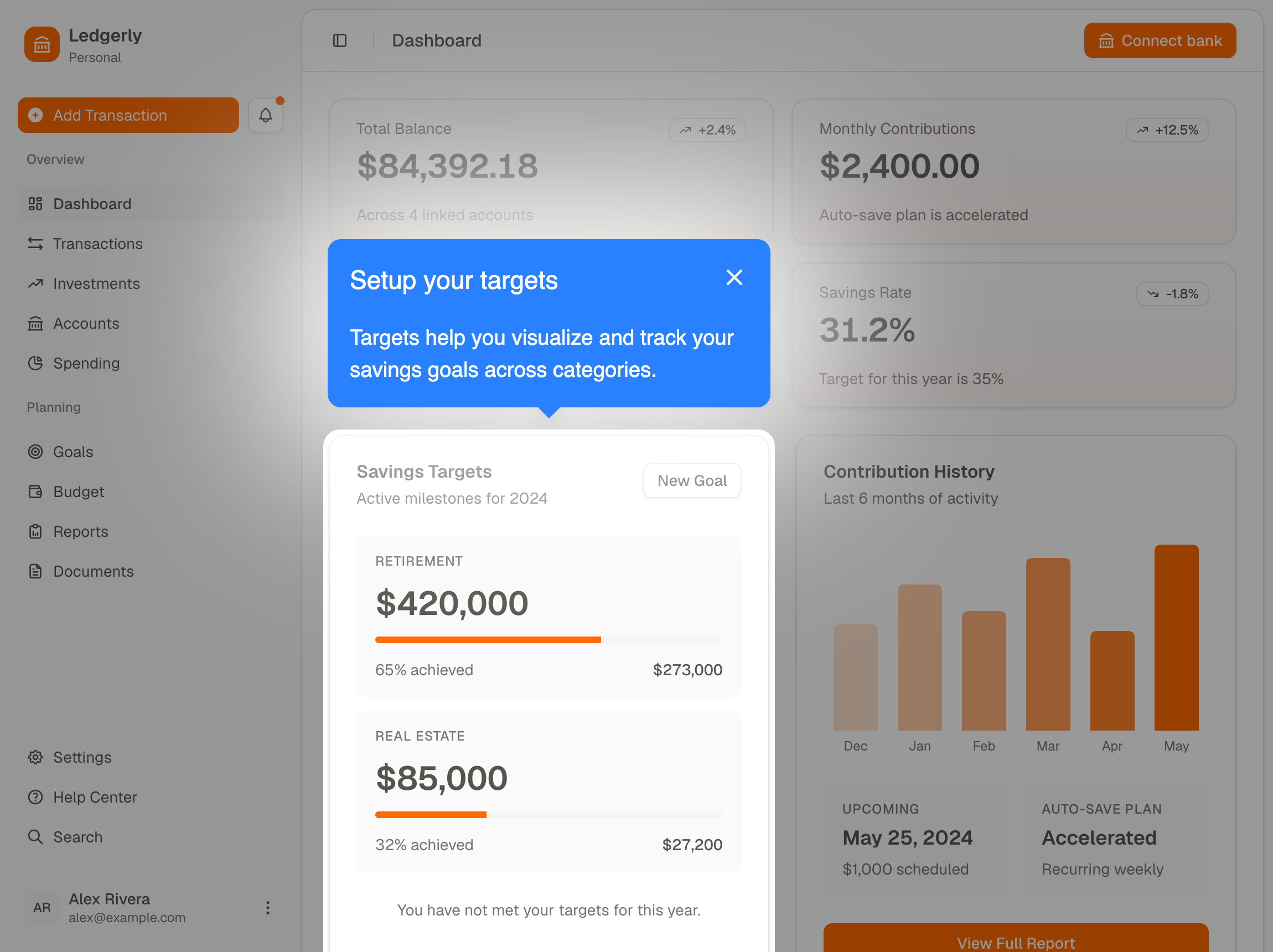
- Every step points at an elementThe instruction sits next to the control it describes, so nobody has to translate between a picture and their own screen.
- The rest of the page dimsWhatever the step is about stays lit, which removes the guesswork about which control the copy means.
- Richer than textSteps carry a short piece of copy and a button to advance, skip or finish, and can embed images, video or a form from your own survey tool.
Targeting decides who sees it
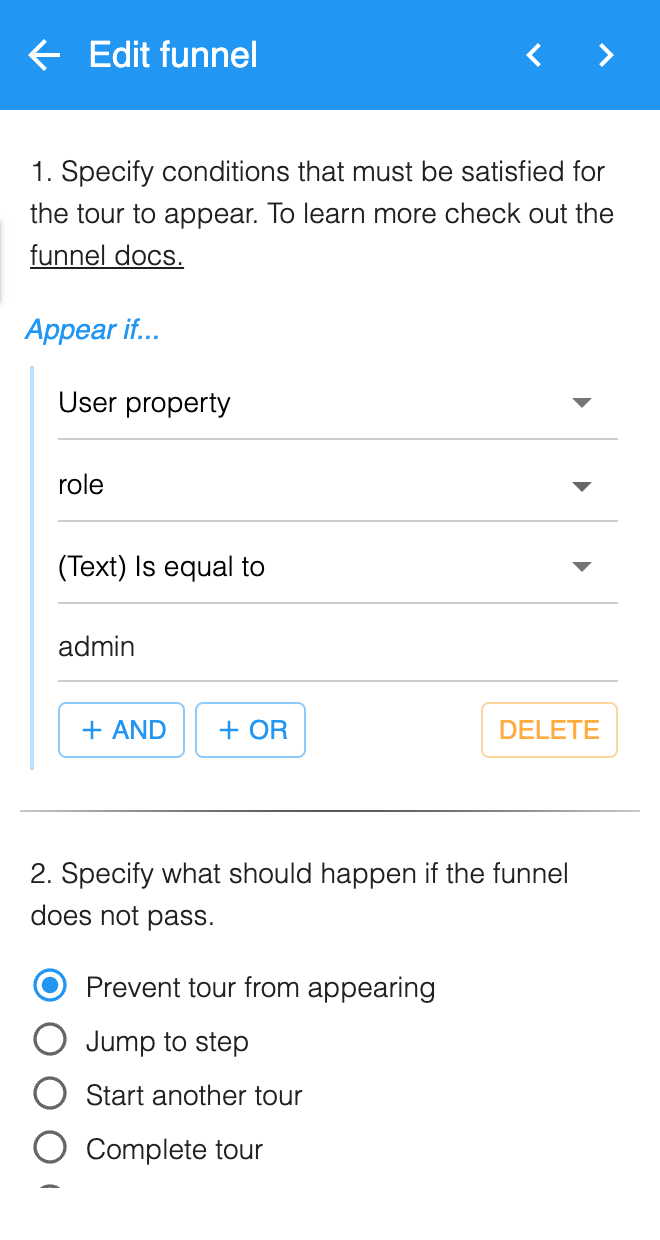
- Target on what you already knowWhether a user is new or returning, what their user properties say about their role, which page they are on, or what device they are using.
- Skip steps, not just toursA funnel can sit on any step rather than only the start, and decide from tour statuses, user properties or events you have sent whether that step runs.
- Branch inside a tourWhen a funnel does not pass, you choose what follows: prevent the tour, jump to another step, hand off to a different tour, or finish early. One flow can serve an admin and a first-time user without becoming two flows to maintain.
Built without code, changed the same day
- Installs like an analytics tagThe snippet goes in a single time, and a tag manager will carry it if that is easier than a code change.
- No release to change a tourProduct, support and customer success can edit a flow themselves and ship it the same afternoon.
- Built for revisionOnboarding is rarely right first time, so what counts is how easily you can change it. If a change takes a sprint, you will make three a year.
Step-level analytics,
so you can see where users leave
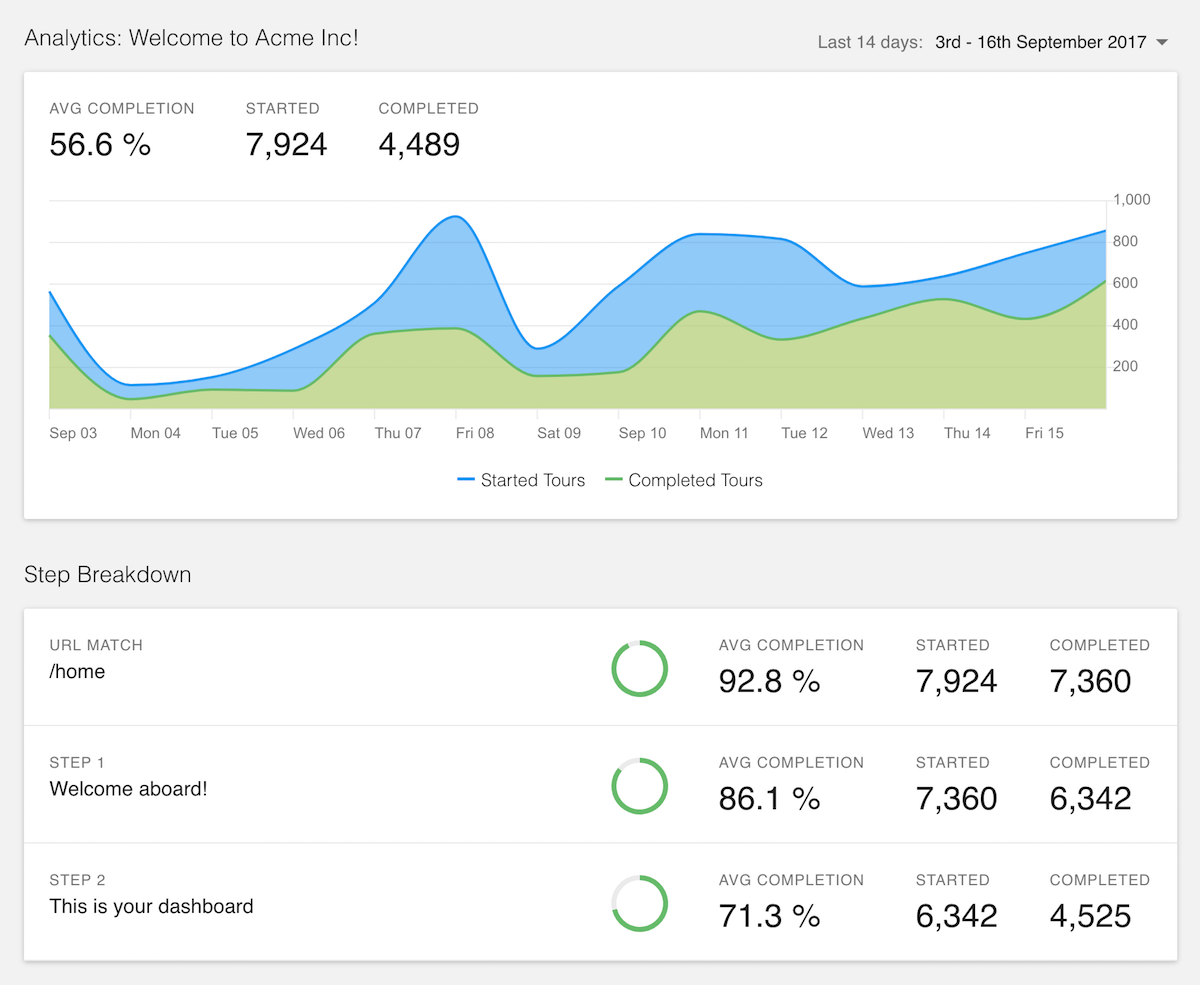
- Completion for every stepA drop between one step and the next is visible rather than inferred, which points at one screen instead of a whole flow.
- Send events to your analyticsA few lines of the JavaScript API forward tour started, completed and canceled into Google Analytics, Mixpanel or whatever you already run. That way you can ask not just who finished the tour, but who went on to reach the thing you pointed them at.
Common questions about product tour software
What is product tour software?
Product tour software builds guided walkthroughs inside an application, so a new user learns the interface by moving through it rather than by reading documentation. You install a snippet once, then build the tours in a visual editor instead of in your own codebase.
Are product tours only for new users?
No. Onboarding is where they start, because a new user has one thing to finish before your product has done anything for them. The same editor then builds tours for existing users, which is where feature adoption happens: a release nobody noticed, or a corner of the product they have never opened. A funnel decides who gets which, so a first-time user and a returning one don't end up in the same flow.
How much does product tour software cost?
HelpHero starts at $55 a month for 1,000 monthly active users, and every plan includes every feature with unlimited seats. Most of the category charges more to get started, and several vendors don't publish their paid tiers at all, quoting them on request after a call. Our comparison pages carry each vendor's own figures alongside the date we checked them.
Do you need a developer to build a product tour?
No, not for building or editing them. The snippet goes in once, in the same way any analytics tag does, and it can go through a tag manager if that's easier than a code change. After that, the people who can see where users get stuck build and edit tours themselves. That matters because onboarding is rarely right first time, and a change that needs a release happens a few times a year rather than weekly.
Where do product tours work?
In web applications, across desktop, tablet and mobile browsers including Chrome, Firefox, Safari and Edge. HelpHero works with HTML-based apps whether they're client-rendered with something like React or Vue, or server-rendered.
Most teams arrive here already trying one other tool. Every competitor we're asked about has its own side-by-side comparison, with prices read from that vendor's own pricing page and the date we checked. HelpHero itself starts at $55 a month, with every feature on every plan and unlimited seats.